
Cross-Domain Tracking With Stripe Checkout: What Works

Here is the short answer: you can’t set up classic cross-domain tracking on a Stripe-hosted Checkout page, because you don’t own the domain and can’t put your tags on it. What you can do is stop Stripe from hijacking your traffic source, pass your own visitor ID into the payment, and confirm every sale from a webhook. That gets you accurate booking attribution without fighting the way Stripe is built.
We built Hotelia for independent and boutique hotels, so we talk about this a lot. A guest finds your site from Google, clicks Book now, pays, and your analytics tells you the booking came from “stripe.com / referral.” That is not a useful answer. This guide shows you why it happens and how to fix it, step by step.
Key takeaways
- Hosted Stripe Checkout runs on a domain you don’t control, so the standard GA4 cross-domain linker can’t finish its job there.
- Add Stripe’s domains to GA4’s unwanted referrals list. It stops the false “stripe.com” source, but it does not stitch the session by itself.
- Pass a visitor or session ID to Stripe as
client_reference_idor metadata, then read it back in a webhook after payment. - Use the success page for a friendly confirmation. Don’t count on it as your only record of a sale.
- If the booking flow lives on your own website, you keep the whole guest journey in one place and have far less to patch.
Table of Contents
- Why cross-domain tracking breaks at Stripe Checkout
- What actually goes wrong in your reports
- Step 1: Add Stripe to your unwanted referrals list
- Step 2: Pass your own ID into the payment
- Step 3: Confirm payments with a webhook
- Step 4: Keep the success page for the guest, not for your data
- A quick checklist for your setup
- Why this matters more for a hotel
- Perspective: fewer handoffs, fewer leaks
- What to look at once tracking works
- Try it with Hotelia
- FAQ
- Sources
Why cross-domain tracking breaks at Stripe Checkout
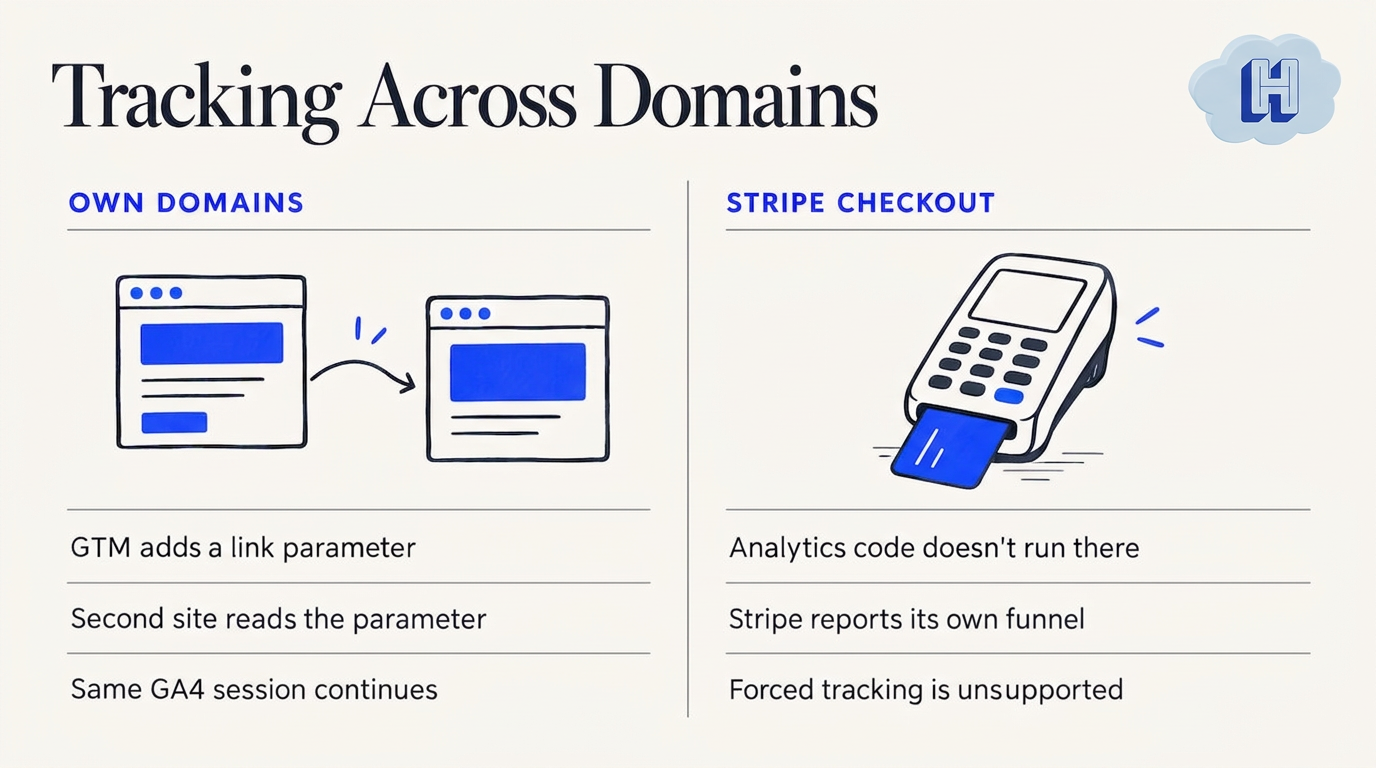
Cross-domain tracking in GA4 works when you own both sides. Google Tag Manager adds a _gl parameter to links that go from one domain to another. The second site has your tag installed, reads the parameter, and carries on with the same session.
Stripe Checkout doesn’t fit that model. As Stripe’s own documentation explains, the payment flow happens on Stripe-owned domains, so your analytics code does not run there. Stripe gives you its own funnel numbers instead: session loaded, completion attempted and session completed.
One write-up on maintaining a GA session through Stripe Checkout makes the same point in plain terms. Standard cross-domain guides assume you can install a script on the second domain. With Stripe, you can’t.
This is on purpose. Hosting the payment page lets Stripe carry the card security burden. Clickport’s analysis of the GA4 and Stripe revenue gap calls the isolation a security feature, not a tracking bug. It also warns that forcing cross-domain tracking onto a domain you don’t control is unsupported and likely to break as browsers tighten cookie rules.
So the goal changes. You are not trying to follow the guest through Stripe. You are trying to remember who they were when they come back, and to tie the payment to them afterward.
What actually goes wrong in your reports
Three things tend to show up in GA4 when a hosted checkout sits in the middle of the journey.
- Stripe becomes your traffic source. The guest returns to your confirmation page and GA4 starts a fresh session credited to the payment gateway. Snifflytics describes this pattern as your real source, such as Google Ads, organic search or email, getting overwritten.
- Purchases go missing. If the guest closes the tab before the redirect finishes, your success page never loads and your purchase event never fires.
- Revenue doesn’t match. Your payment dashboard says one number and GA4 says a lower one. The gap is usually bookings that never reached the thank-you page.
For a small hotel, this is more than a reporting headache. If your direct bookings look like they came from “referral,” you can’t tell whether your Google Business Profile, your email list or your paid ads is earning its keep. You end up cutting the wrong thing.
Step 1: Add Stripe to your unwanted referrals list
Start here because it takes five minutes.
In GA4, go to Admin, then Data Streams, then your web stream, then Configure tag settings, then List unwanted referrals. Add the Stripe domains. Current guidance from Snifflytics lists stripe.com, hooks.stripe.com and checkout.stripe.com.
What this does: when the guest comes back from Stripe, GA4 no longer treats the return as a new visit from a new source. It keeps the original attribution in place.
What it doesn’t do: stitch the session. The same source warns that many people assume this fix is enough. It only removes the false referral. If you want the booking tied to a specific visit, keep going.
Step 2: Pass your own ID into the payment
This is the step that replaces cross-domain tracking. Instead of asking Stripe to carry your analytics cookie, you hand Stripe a label of your own and ask it to give the label back later.
When your server creates the Checkout Session, include a visitor or session identifier in the client_reference_id field, or in metadata. Stripe’s guide to analyzing the conversion funnel covers this approach: pass the identifier in, then read it from your webhook after the payment completes.
What can you use as the ID?
- Your GA4 client ID or session ID, read from the cookie before the guest leaves.
- A first-party visitor ID your own site generates.
- The UTM values themselves, saved at the moment the guest first lands.
The TrackRev setup guide describes it as one handoff: your server puts a visitor ID on the Checkout Session before the redirect, and your webhook reads it back. A Checkout Session has no UTM or referrer data of its own, so whatever you want to know later has to go in before the guest leaves.
A practical tip: save the first-touch source (the UTM parameters or referrer) on your own side the first time a guest lands, keyed to that ID. Then the webhook only has to look up the ID to know where the booking came from.
Step 3: Confirm payments with a webhook
Don’t treat the success page as proof of payment. Guests close tabs, lose signal in the lobby or tap the back button.
Stripe’s fulfillment documentation recommends a webhook listener for the checkout.session.completed event, so your system hears about every completed payment whether or not the guest returns. It also notes that Stripe waits up to 10 seconds for your response to a webhook delivery before redirecting the customer, and that this should not be your only fulfillment mechanism.
Once the webhook fires, you have three things in one place: the payment, your ID and the original source. From there you can:
- Record the booking in your system with the right channel.
- Send a purchase event to GA4 from the server, using the saved client ID.
- Feed the same data to an ad platform if you run paid campaigns.
If you use server-side Google Tag Manager, Stape’s walkthrough for Stripe purchase tracking shows a version of this with a client template and a small snippet on the thank-you page, where the session ID arrives in the URL.
Step 4: Keep the success page for the guest, not for your data
The success page still matters. It is where a guest sees “You’re booked” and feels good about it. Use it for that.
Passing a session ID through the success URL can add a useful extra signal, but treat it as a bonus. Snifflytics calls URL parameter passing fragile because it fails when cookies are off, an ad blocker is running or the tab closes early. Let the webhook be your source of truth and the redirect be a nice touch.
A quick checklist for your setup
Here are the places to look, in the order we would tackle them:
- Unwanted referrals: Stripe domains added in GA4.
- First-touch capture: UTM values and referrer saved when the guest lands.
- ID handoff: a visitor or session ID sent as
client_reference_idor metadata. - Webhook:
checkout.session.completedhandled on your server. - Server-side purchase event: sent from the webhook, not the browser.
- Reconciliation: a monthly check that bookings in GA4 line up with payouts in Stripe.
For step 6, expect small differences. Refunds, test payments and time zones can shift totals. A large, steady gap points to missing purchase events, and that is the signal to revisit steps 3 and 5.
Why this matters more for a hotel
A hotel booking is not an impulse buy. Guests often visit your site two or three times, compare dates, check your photos and maybe join your email list before they pay. Every one of those touches is lost if the last step resets the session.
It also matters because direct bookings are your margin. When you work to pull guests away from third-party sites, you need to know which of your own efforts brought them in. If you want ideas on that side, our guide to turning more website visitors into direct bookings walks through the basics.
A few hotel-specific habits help:
- Tag your links. Use UTM parameters on every link in your email, social profiles and ads. Untagged traffic is the first thing to disappear into “direct” or “referral.”
- Watch the whole funnel. Look at searches, room views, checkout starts and confirmed bookings, not just the final sale.
- Separate the add-ons. If you sell extras such as breakfast or a late checkout, record them as line items so you can see what each source earns beyond the room.
Perspective: fewer handoffs, fewer leaks
We think the best fix for broken attribution is fewer places for it to break. Every time a guest jumps to a different site to pay, you add a handoff, and every handoff is a place where data can get lost.
That is why we built Hotelia as an all-in-one hotel platform: a direct booking engine, a full property management system and built-in upsells, all on your own website. Guests book in a mobile-friendly, branded flow embedded in your site, with no third-party redirects. Payments are processed through Stripe and settle to your hotel, and the guest data stays yours. Our page on how guest payments work with Stripe explains the payments side, and the Stripe Connect page covers how payouts reach you.
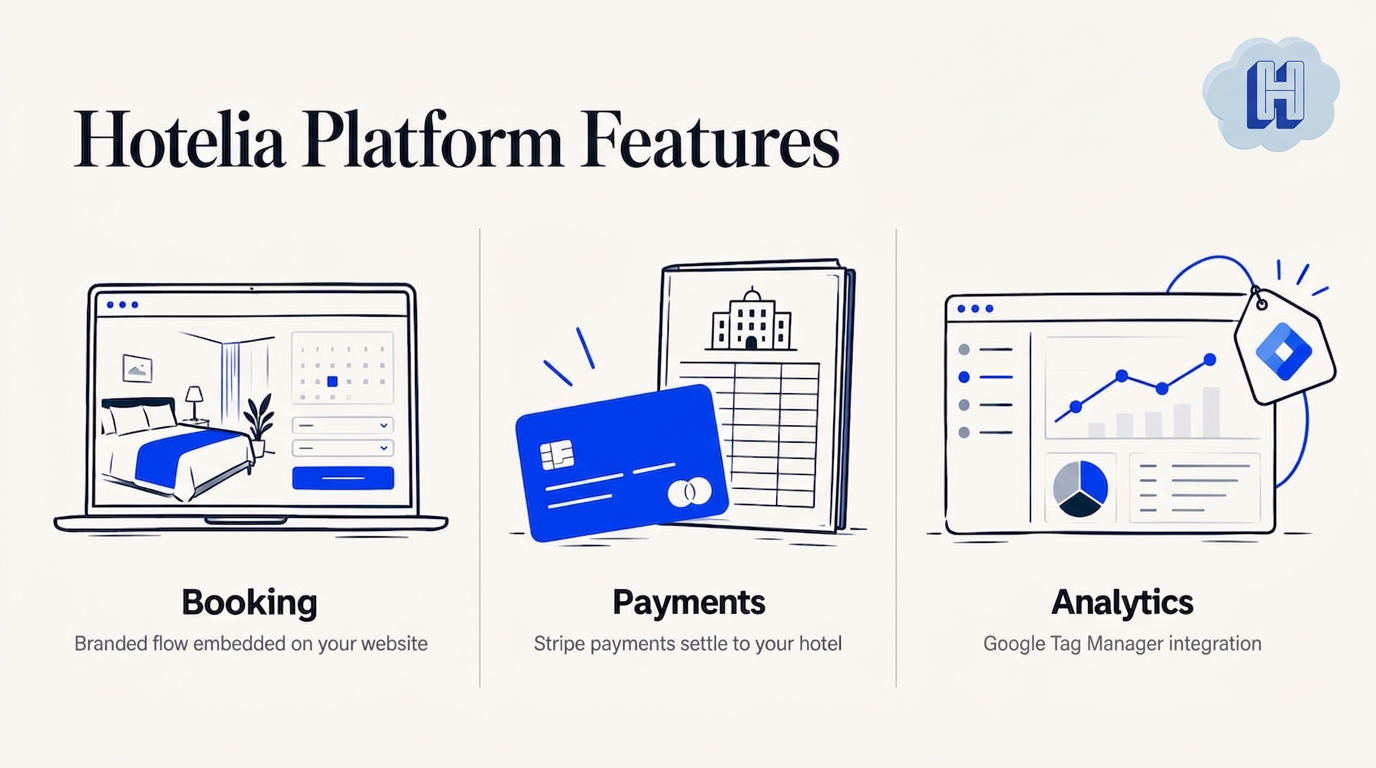
We also include Google Tag Manager, so your analytics tags sit where you already expect them. You can read how that works on our Google Tag Manager integration page.
Our honest view: analytics that you have to rebuild with webhooks and custom code are a lot to ask of a hotel owner who is also covering the front desk. The tools should do the heavy lifting, so you can look at a dashboard and know what is working.
Hotelia Team
What to look at once tracking works
Once your bookings carry the right source, the numbers get useful fast. Start with three views.
- Bookings by source. Compare organic search, email, social, paid ads and your Google Business Profile. Look at confirmed bookings, not just clicks.
- Checkout starts versus completions. Stripe gives you completion data on its side, and your own funnel shows the steps before it. A big drop between the two points to a payment-page problem, not a traffic problem.
- Revenue per booking by source. Some channels bring guests who add a spa package or a late checkout. Those are worth more than the room rate alone suggests.
If you want a closer look at what a built-in dashboard can show, see our posts on hotel analytics built in and the hotel revenue dashboard.
Try it with Hotelia
If your booking flow sends guests away to pay and you are tired of patching the gaps, take a look at Hotelia. You get a direct booking engine at 0% commission, a property management system for reservations, check-in and check-out, and live room status, plus Revenue Builder for flat-priced add-ons at checkout. Pricing is a flat 149 USD per month plus 10 USD per room, and there is a free trial. See the details on our pricing page.
FAQ
Can I use GA4 cross-domain measurement with Stripe Checkout?
Not in the usual way. Cross-domain measurement needs your tag on both domains, and you can’t install it on Stripe’s hosted page. Add Stripe to your unwanted referrals list and pass your own ID through client_reference_id instead.
Why does Stripe show up as a referral source in GA4?
When a guest returns from Stripe to your site, GA4 sees a visit coming from stripe.com and may start a new session credited to it. Adding stripe.com, hooks.stripe.com and checkout.stripe.com to your unwanted referrals list stops that. It won’t, on its own, connect the booking to the original visit.
Is the success page enough to track bookings?
No. Guests can close the browser before the redirect completes, so some sales never reach that page. Stripe recommends listening for the checkout.session.completed webhook so every paid session is captured.
What should I send as the client_reference_id?
A visitor or session ID that your own system can look up later, such as a GA4 client ID or a first-party ID. Keep it to letters, numbers, hyphens and underscores. Store the guest’s first-touch source against the same ID so the webhook can match them up.
Sources
- Stripe: Checkout Studio analytics
- Stripe: Analyze your Checkout conversion funnel
- Stripe: Fulfill orders with Checkout
- Snifflytics: PayPal, Stripe, and checkout attribution leaks
- William Chong: Fixing GA4 purchase funnel and Stripe Checkout
- Clickport: Why GA4 revenue never matches Stripe
- TrackRev: Stripe Checkout attribution tracking
- Stape: Stripe purchase tracking guide
Recommended
Thanks for reading The Hotelia Dispatch!
Subscribe to get new posts delivered to your inbox.
See Hotelia in Action
Hotelia is a modern booking engine and property management platform built specifically for independent hotels. Keep more of what you earn with 0% commission on direct bookings.