
10 Copy Ready Upsell Email Examples, Triggers, and Hotel Adaptations

The highest-return upsell approaches are post-purchase add-ons, usage-based upgrades, and milestone upgrades sent right when a customer’s behavior signals they’re ready. Below you’ll find copy-ready templates, subject lines, and a simple trigger map so you can plug these into your ESP today, with one clear call to action per email, and sending timed to real customer behavior, not a calendar.
TL;DR:
- Post-purchase add-ons should be sent within 24 hours after checkout to customers who skipped related items, minimizing mental friction.
- Usage-based triggers such as hitting plan caps or nearing limits should be timed precisely to prompt upgrades before interruption occurs.
- Personalization using actual purchase history and usage metrics yields higher engagement, with 76% of buyers expecting tailored offers.
- Limit upsell emails to two or three per month to prevent customer fatigue and ensure compliance with suppression rules.
- Hospitality providers should leverage pre-arrival and booking confirmation moments for targeted upsell offers, keeping transactional messages separate from marketing campaigns.
Table of Contents
- 1. Annotated upsell email examples you can copy today
- 2. How to adapt these templates by industry and data on hand
- 3. Subject lines and CTAs that convert
- 4. Timing, triggers, and segmentation that keep emails relevant
- 5. Personalization signals and how to measure real lift
- 6. Deliverability, compliance, and legal checklist
- 7. How these templates apply to hospitality
- 8. Quick lessons from watching upsell emails in practice
- 9. Hotelia: a built-in option for independent hotels
- Sources
- FAQ
1. Annotated upsell email examples you can copy today
Each example below includes a trigger, a subject line, a single call to action, and a short template you can adapt. Test each subject line against a shorter or more direct alternative before locking it in.
- Post-purchase add-on. Send within a day of checkout to buyers who skipped a related item. Subject: “Complete your order with this.” CTA: “Add to my order.” Template: “Hi [name], you picked up [item]. A lot of customers pair it with for [benefit]. Add it before it ships.” This works because the customer already made a buying decision, so the mental friction is lower.
- Complete-the-set. Trigger this when someone buys one item from a known bundle or collection. Subject: “You’re missing one piece.” CTA: “See the full set.” Template: “You picked up [item 1]. [Item 2] and [item 3] complete the look, and buying together saves you [amount].” Shopify lists complete-the-set among the upsell types that have the clearest incremental benefit, because the value is obvious next to what the customer already owns.
- Trial-to-paid upgrade. Send three to five days before a free trial ends. Subject: “Your trial ends soon, here’s what you’d keep.” CTA: “Upgrade now.” Template: “Your trial ends on [date]. You’ve used [feature] [count] times this month. Upgrading keeps that running without interruption.”
- Feature-gate tease. Trigger the moment a user clicks a locked feature. Subject: “You just tried to use [feature].” CTA: “Unlock it now.” Template: “Looks like you wanted [feature]. It’s part of [plan name], and you can turn it on in under a minute.”
- Plan cap reached. Send the same day a user hits a usage limit. Subject: “You’ve hit your limit, here’s the fix.” CTA: “Upgrade my plan.” Template: “You’ve used all [number] of your [resource] this month. Upgrading to [plan] removes the cap so you’re not stuck waiting.”
- Usage threshold upgrade. Trigger at 80% of plan capacity, before the hard stop. Subject: “You’re close to your limit.” CTA: “See upgrade options.” Template: “You’re at [percentage] of your monthly [resource]. Move up a tier now and avoid any interruption later.”
- Limited-time upgrade discount. Send to users who viewed the pricing page but didn’t convert within 48 hours. Subject: “A shorter path to [benefit].” CTA: “Claim my rate.” Template: “We noticed you checked out [plan]. For the next [timeframe], upgrading gets you [discount detail].”
- Seasonal or bundle offer. Trigger around a known seasonal pattern in your own purchase data. Subject: “Your seasonal bundle is ready.” CTA: “Shop the bundle.” Template: “Based on what you’ve bought before, this bundle covers what you’ll likely need this season, at a lower combined price.”
- Loyalty or anniversary upgrade. Send on the customer’s signup or purchase anniversary. Subject: “One year in, here’s a thank-you offer.” CTA: “Claim my upgrade.” Template: “You’ve been with us for [duration]. As a thank-you, here’s [offer] if you upgrade to [tier] this week.”
- Replenishment or subscription add-on. Trigger near the expected reorder date based on past purchase cadence. Subject: “Running low on [item]?” CTA: “Reorder now.” Template: “Based on your last order, you’re likely running low on [item]. Reorder now, or add a second item and save on shipping.”
A few structural notes apply across all ten:
- Every email needs one primary CTA, never two competing buttons.
- Subject lines should name a benefit or a status change, not just “upgrade available.”
- Personal greeting, a specific recently purchased item, and a relevant suggestion consistently outperform generic blasts, according to HubSpot’s guidance on upsell emails.
2. How to adapt these templates by industry and data on hand
The template shell stays the same across industries. What changes is the trigger and the data field you plug into it.
- SaaS relies on usage and feature-gate triggers: send when a user hits a cap, tries a locked feature, or nears trial expiry. Mailchimp’s SaaS guidance recommends segmenting by lifecycle stage and behavior rather than by list age.
- Ecommerce relies on post-purchase and replenishment timing: a retail email playbook suggests an order confirmation followed by two to three upsell or cross-sell emails spread across a 7 to 10 day window after purchase.
- Hospitality relies on pre-arrival and booking-confirmation moments, since the guest is already expecting next-step choices at that point in the journey.
- Consumables and subscriptions rely on replenishment timing pulled from average reorder cadence, so the email lands a few days before the customer would naturally run out.
Before you turn any of these on, run through a short checklist:
- Required data fields: last purchase date or last-active date, item or plan name, and a usage stat if you have one.
- Suppression rules: never send an upgrade pitch to someone who already upgraded in the last billing cycle.
- Cadence limits: cap upsell sends to two or three per customer within any 30-day window, so the message doesn’t read as spam.
Keep dynamic tokens simple: {{item}}, {{last_order_date}}, and {{usage_stat}} cover most templates above. Every token needs a fallback value for customers with missing data, otherwise a broken merge tag undermines the whole email.
3. Subject lines and CTAs that convert
Ten formulas to test, each with a quick example:
- Value-led: “Get more out of [product].”
- Urgency: “Your rate holds for 48 hours.”
- Milestone: “You’ve hit [number] orders, here’s a thank-you.”
- Benefit plus metric: “Cut your [task] time by upgrading.”
- Curiosity: “There’s a faster way to do this.”
- Status change: “You just unlocked something.”
- Direct offer: “Add [item] for [amount].”
- Question: “Ready for the next tier?”
- Personal: “[Name], this pairs with what you bought.”
- Deadline: “Ends [date]: upgrade pricing.”
Six CTA patterns worth testing: a single strong button (“Upgrade now”), an add-to-cart button, an “Upgrade my plan” button, a “See the benefits” link, “Schedule a demo” for higher-ticket upgrades, and “Contact sales” for enterprise tiers.
Pro Tip: Run one variable at a time, subject length, emoji versus no emoji, or one CTA versus two, so you know exactly what moved the number.
4. Timing, triggers, and segmentation that keep emails relevant
Sending the right message at the wrong moment wastes the offer. Mailchimp and Litmus both point to behavior, not the calendar, as the trigger that matters.
- Purchase: trigger a post-purchase add-on within 24 to 48 hours of checkout.
- Pricing-page visit: trigger a limited-time offer if the visit happens without a conversion within 48 hours.
- Feature-gate attempt: trigger a tease email the same day the user hits the wall.
- Usage threshold: trigger at 80% of plan capacity, then again at 100%.
- Trial expiry: trigger three to five days before the trial ends.
- Anniversary or milestone: trigger on the exact signup or purchase date each year.
Segment by behavior, not just demographics: active power users nearing a plan cap, near-capacity users who haven’t upgraded, and recent purchasers still inside their post-purchase window. Suppress anyone who upgraded in the last cycle, and route users who never engage with upsell emails into an education sequence instead of repeating the same pitch.
5. Personalization signals and how to measure real lift
Personalization works best when it’s built on what a customer actually did, not just their first name.
- Purchase history: which items or plans someone bought and when.
- Usage metrics: how close they are to a plan cap or feature limit.
- Plan level: what tier they’re on now, so the upgrade path is a logical next step.
- Last active date: whether they’re engaged enough for an upgrade pitch to land.
- Product preferences: which categories or features they interact with most.
Litmus reports that 76% of buyers expect personalized attention and 80% are more likely to buy from brands that offer it, which is a strong argument for pulling real usage and purchase data into every upsell send rather than relying on a first-name merge field.
For measurement, track incremental conversion rate, average order value uplift, revenue per email, and lift by segment, not just opens or clicks. Set up a holdout group that receives no upsell email so you can isolate the actual lift the campaign creates, and check margin impact before scaling any discount. A discount that drives clicks isn’t automatically profitable once you subtract the margin you gave up to get them.
6. Deliverability, compliance, and legal checklist
Every commercial email needs a few non-negotiable elements. The FTC’s CAN-SPAM compliance guide requires truthful header and routing information, a subject line that isn’t deceptive, a clear and working opt-out mechanism, and a valid postal address in every message. Being an existing subscriber doesn’t remove the opt-out requirement for a commercial message.
- Authenticate your sending domain with SPF and DKIM so upsell emails don’t land in spam.
- Avoid image-only emails, since spam filters and screen readers both need real text.
- Monitor spam complaint rates and bounce rates weekly, and pause a segment if either spikes.
- If you fold a commercial offer into a transactional confirmation email, keep the opt-out language visible and separate from the transactional content, so the message still reads as compliant.
7. How these templates apply to hospitality
Hotels have their own high-opportunity moments: the pre-arrival window and the booking confirmation itself, when a guest already expects to make a few next-step choices. A pre-arrival room upgrade offer, a paid add-on presented during booking, and a pre-check-in offer for breakfast or late checkout all map directly to the templates above, just with a booking date standing in for a usage threshold.
- A room upgrade tease can trigger the moment a reservation is confirmed, mirroring the feature-gate tease pattern.
- A paid add-on at checkout mirrors the post-purchase add-on template, just moved earlier into the booking flow itself.
- A pre-check-in offer for breakfast or a late checkout mirrors the milestone or anniversary pattern, timed to the stay instead of a calendar date.
One operational distinction matters here: booking confirmations, pre-check-in reminders, and door codes are transactional messages, not marketing. Any multi-day upsell sequence built around these triggers belongs in a marketing tool like Klaviyo, run separately from the essential transactional emails a booking system sends.
8. Quick lessons from watching upsell emails in practice
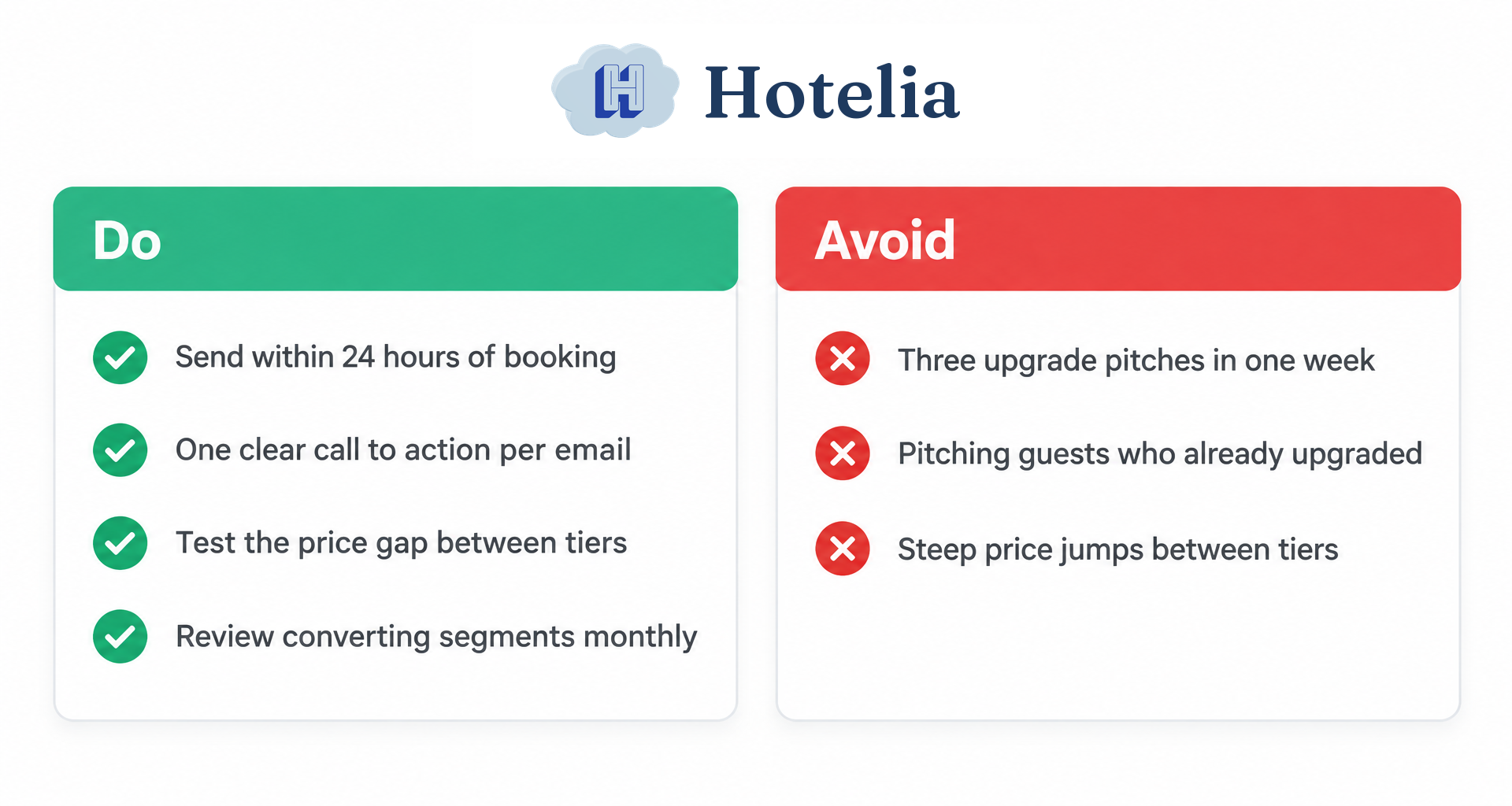
The biggest mistake we see is over-mailing: three upgrade pitches in a week train customers to ignore all of them. Test the size of the price gap between tiers before you test anything else, since a smaller incremental difference tends to convert better than a steep jump. Automate the triggers, but sit down monthly and look at which segments are actually converting, because a trigger that worked in month one can go stale by month four.
Pro Tip: If you only have time to fix one thing this month, fix your suppression rules. Nothing kills trust faster than an upgrade pitch sent to someone who already upgraded.
— Hotelia Team
9. Hotelia: a built-in option for independent hotels
If you run an independent or boutique hotel and don’t want to build this upsell machinery from scratch, Hotelia’s Revenue Builder adds upsells and add-ons directly into your own booking flow, at flat pricing rather than per-night charges, with none of it routed through a third party. Every dollar from a direct booking and its add-ons stays with the hotel, since Hotelia charges 0% commission on direct bookings.

This fits hotels with lean teams best: independent and boutique properties, roughly 5 to 60 rooms, where the owner or a small staff is handling bookings, front desk, and guest communication without a dedicated revenue management department. Built-in emails cover essential transactional messages such as booking confirmations, pre-check-in reminders, reschedule and cancellation notices, and door code delivery; marketing-style upsell sequences can be managed through external marketing tools.
- Add-ons are priced flat, not per night, so pricing stays simple for guests and staff.
- Payments settle directly to the hotel through Stripe, and the hotel owns its guest data.
- The platform is designed for quick setup without requiring development support.
If you want to see the flat monthly and per-room pricing, check the Hotelia Pro plan.
Sources
- Mailchimp — Email marketing for SaaS
- HubSpot — How to write upsell emails
- Litmus — Email personalization guidance
- Federal Trade Commission — CAN-SPAM Act: A Compliance Guide for Business
FAQ
When is the best time to send an upsell email?
The best timing follows a behavioral trigger rather than a fixed schedule, such as within 24 to 48 hours of a purchase or the day a customer hits a usage threshold. For hospitality specifically, the pre-arrival window and the booking confirmation itself are strong moments because the guest already expects to make choices.
How often should I send upsell emails without annoying customers?
A reasonable cap is two to three upsell emails per customer within any 30-day window, paired with suppression rules that stop sends to anyone who already upgraded. Litmus’s practitioner guidance stresses behavior-triggered sends over batch blasts specifically to avoid over-mailing.
What personalization fields matter most in an upsell email?
Purchase history, usage metrics against a plan or resource cap, current plan level, and last-active date carry the most weight, more than a first-name merge field alone. Litmus reports 76% of buyers expect personalized attention, which supports building offers around what a customer actually did rather than generic messaging.
Do upsell emails need a discount to work?
No, a discount isn’t required. Many of the highest-performing templates, like a milestone upgrade or a usage threshold nudge, work by connecting a clear benefit to a demonstrated need rather than by cutting price, and discounting without checking margin impact can erode the profit an upsell was meant to add.
Are upsell emails subject to CAN-SPAM rules?
Yes, any commercial upsell email sent to recipients must follow CAN-SPAM requirements, including truthful subject lines, a working opt-out link, and a valid postal address. Being an existing customer or subscriber does not remove the opt-out requirement for a message that is commercial in nature.
Recommended
Thanks for reading The Hotelia Dispatch!
Subscribe to get new posts delivered to your inbox.
See Hotelia in Action
Hotelia is a modern booking engine and property management platform built specifically for independent hotels. Keep more of what you earn with 0% commission on direct bookings.